To, Bangladesh

To donate us through bank:
  1. Visit nearest Brac bank.
  2. Transfer money through this account: 
  3. Bank: Brac bank.
  4. A/C Name : Dakbaksho Foundation
  5. A/C No: 2066505520001
  6. Branch: Mohakhali
  7. Routing : 060261384
  8. Swift Code: BRAKBDDH

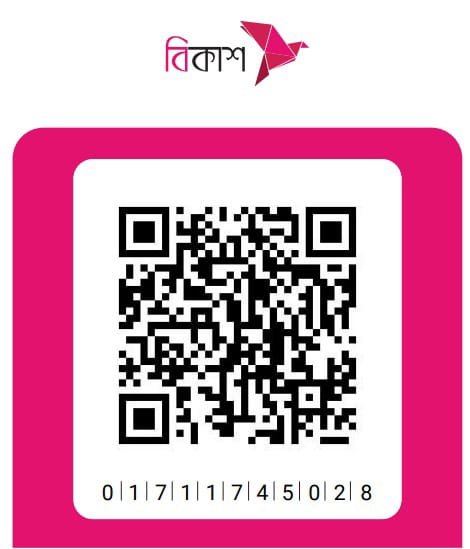
To donate us through bKash (by App):

Merchant Number: 01711745028

  1. Open the bKash mobile app using your bKash-activated mobile number and PIN.
  2.  Select the “Make Payment” option from the app’s home screen.
  3. Input the Merchant bKash Account Number (Mentioned above ↑).
  4. Enter the amount you wish to donate.
  5. Enter a reference* against your payment (you can mention the purpose of the transaction in one word. e.g. Donate).
  6. Tap and hold “Make Payment” to complete the donation.
  7. A successful payment notification will be shown with the summary of the payment.

To donate us through bKash (by USSD *247#):

Merchant Number: 01711745028

  1. Go to your bKash Mobile Menu by dialing *247#
  2. Input 3 for select “Payment”
  3. Enter the Merchant bKash Account Number (Mentioned above ↑)
  4. Enter the amount you wish to donate
  5. Enter a reference* against your payment (you can mention the purpose of the transaction in one word. e.g. Donate)
  6. Enter the Counter Number* (the salesperson at the counter will tell you the number)
  7. Now enter your bKash Mobile Menu PIN to confirm

To donate us through Nagad (by App):

Merchant Number: 01711745028

  1. Open the Nagad mobile app using your Nagad-activated mobile number and PIN.
  2.  Select the “Merchant Pay” option from the app’s home screen.
  3. Input the Merchant Nagad Account Number Or Scan QR Code (Mentioned above ↑).
  4. Enter the amount you wish to donate.
  5. Enter your Nagad PIN
  6. Tap and hold “Make Payment” to complete the donation.
  7. A successful payment notification will be shown with the summary of the payment.

To donate us through Nagad (by USSD *167#):

Merchant Number: 01711745028

  1. Go to your Nagad Mobile Menu by dialing *167#
  2. Input 3 for select “Payment”
  3. Enter the Merchant Nagad Account Number (Mentioned above ↑)
  4. Enter the amount you wish to donate
  5. Enter the Counter Number* (the salesperson at the counter will tell you the number)
  6. Enter a reference* against your payment (you can mention the purpose of the transaction in one word. e.g. Donate)
  7. Now enter your Nagad Mobile Menu PIN to confirm
  8. A successful payment notification will be shown with the summary of the payment.